NOTE: Before starting, please contact support and we will activate this integration option for you.
STEP 1: Save your Nordea credentials in your ZenTreasury environment.
Navigate to Settings > Admin settings > Integrations > Market data providers > Nordea FX
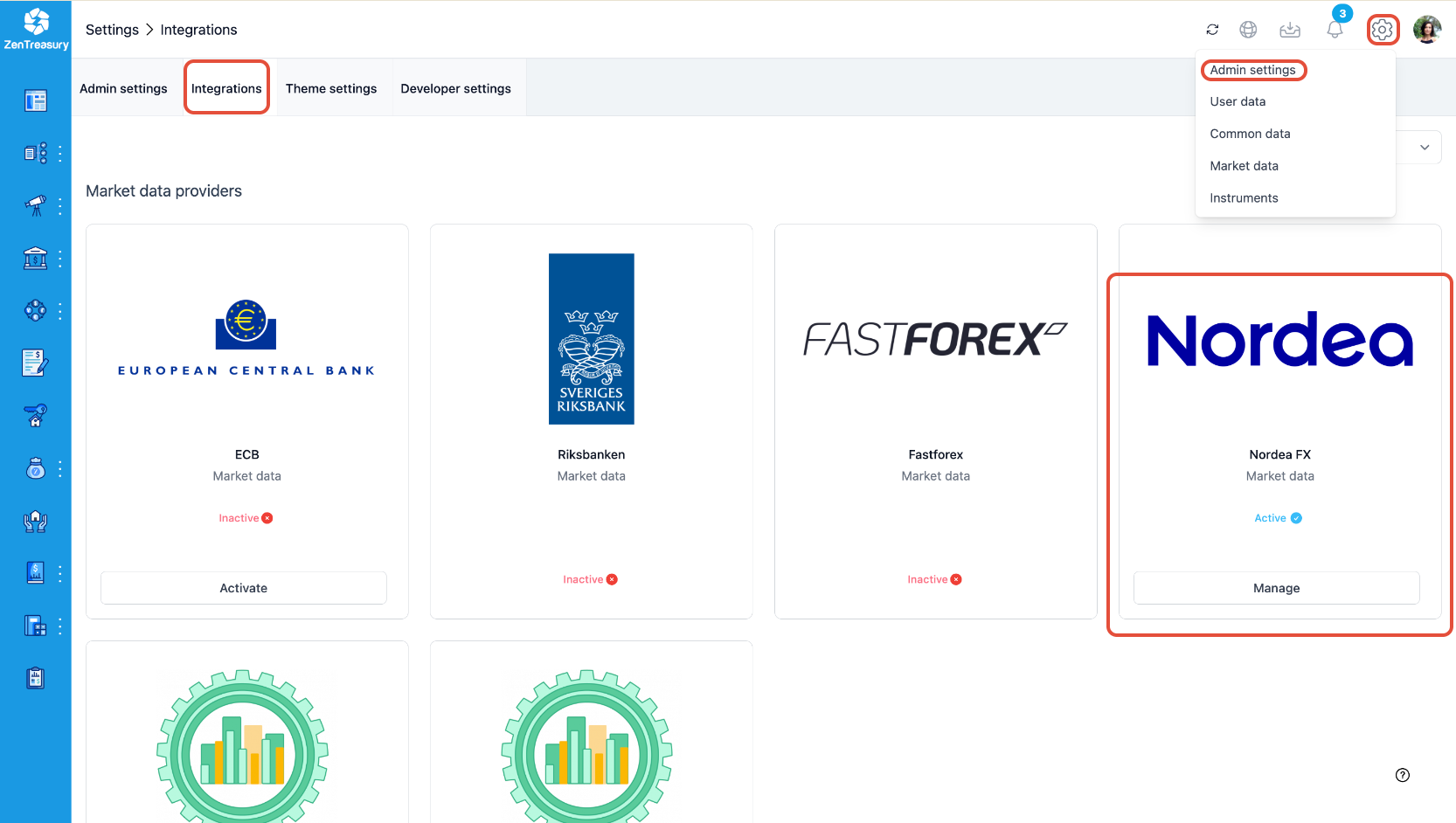
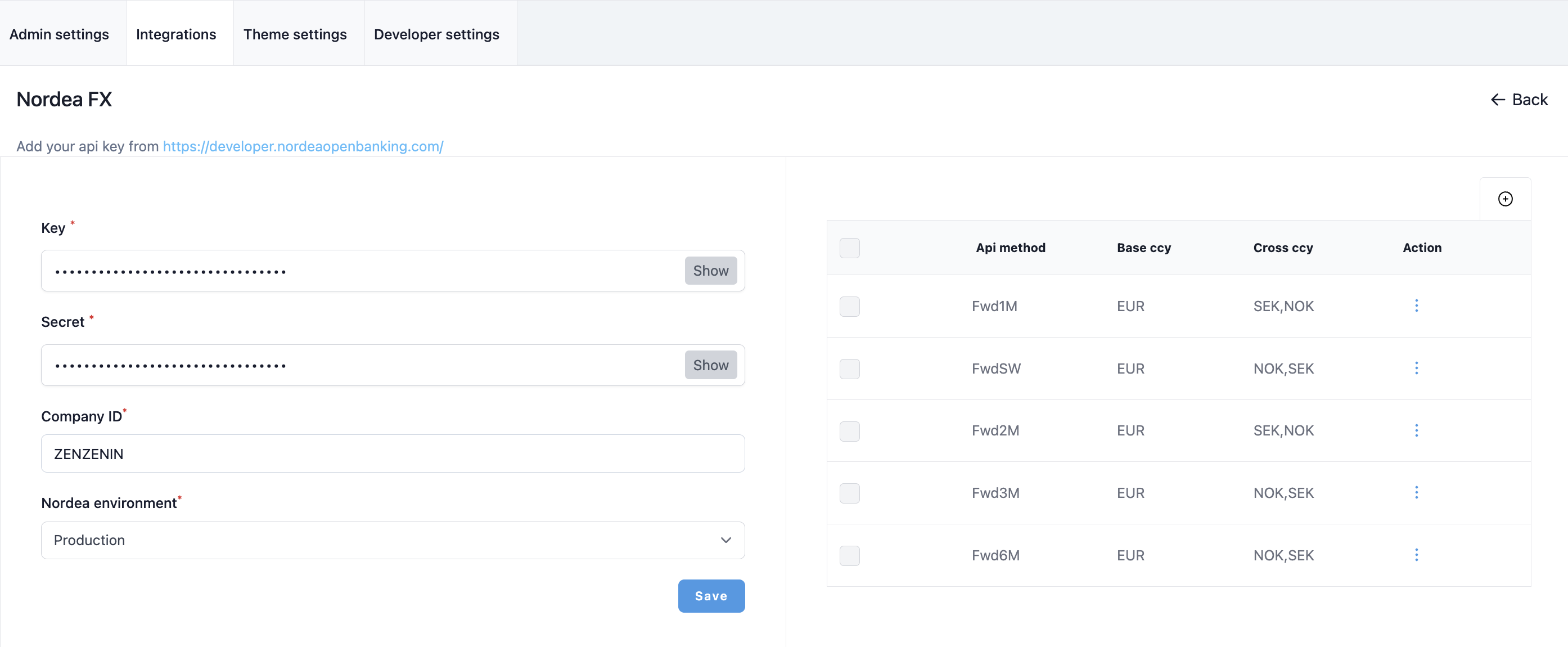
STEP 2: click on "Manage" next to the Nordea logo. Fill in the required fields and click "Save" to store the FX rates credentials.
- Key: Enter your Nordea FX rates key.
- Secret: Enter your Nordea FX rates secret.
- Company ID: Enter your company ID (Alias).
- Nordea Environment: Select "production".
- Add the required currecy pairs from the plus icon on the right side.
Was this article helpful?
That’s Great!
Thank you for your feedback
Sorry! We couldn't be helpful
Thank you for your feedback
Feedback sent
We appreciate your effort and will try to fix the article