Step 1: Access Currency Settings
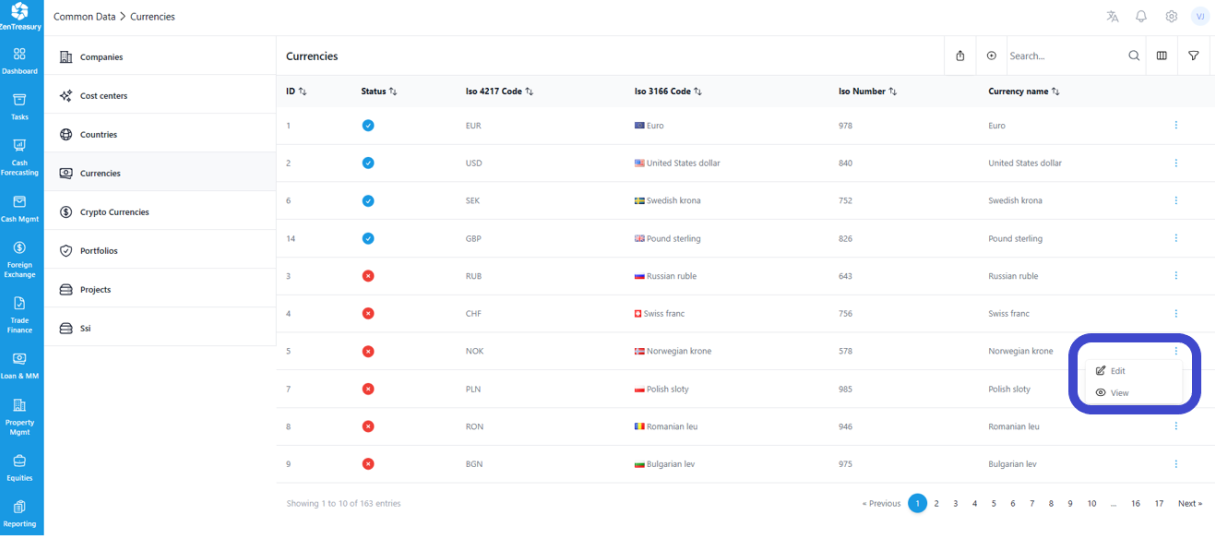
Currencies are listed under Common Data - Currencies.
Step 2: Select a Currency to Activate
Browse through the list of currencies until you find the one you wish to activate.
Different currencies can be activated by selecting the currency in question and clicking the "Edit" option:
Step 3: Activate the Currency
Activate the currency by pushing the button under "Status" to the right.
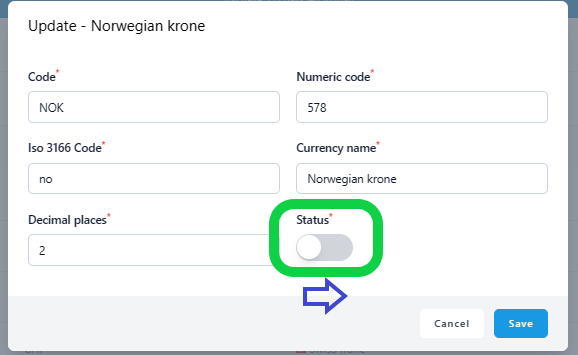
This toggle switch changes the currency's status from inactive to active.
Click 'Save' to apply the changes.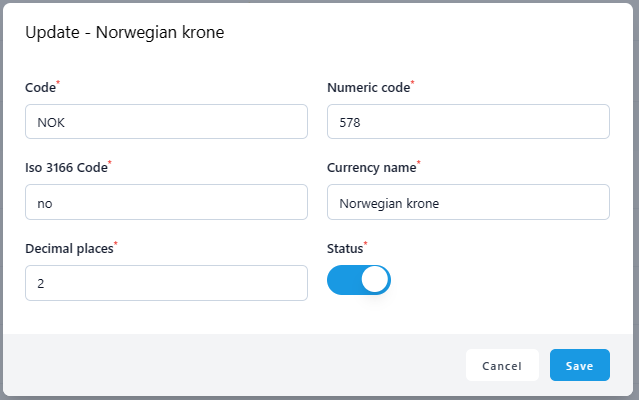
After saving, return to the currency listing. The activated currency will now be displayed in blue, indicating its active status.

You can sort the list to show active currencies first by clicking on the 'Status' header.
Was this article helpful?
That’s Great!
Thank you for your feedback
Sorry! We couldn't be helpful
Thank you for your feedback
Feedback sent
We appreciate your effort and will try to fix the article