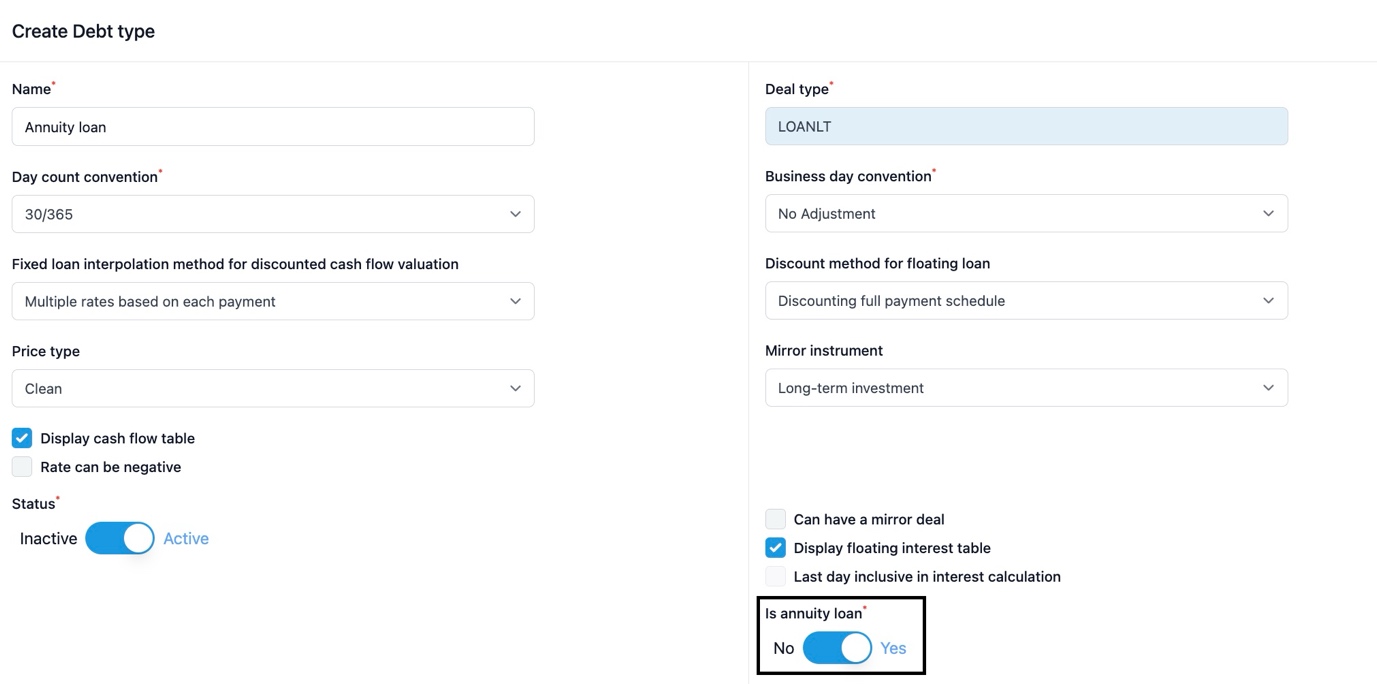
When creating an annuity loan in the ZenTreasury system, you first have to go and check that the instrument type is set to annuity loan. You can do that by navigating to Settings > Instruments > Debt type and selecting ‘Edit’ from the three dots at the end of the row.
From there you have the following view where annuity loan selection should be active.
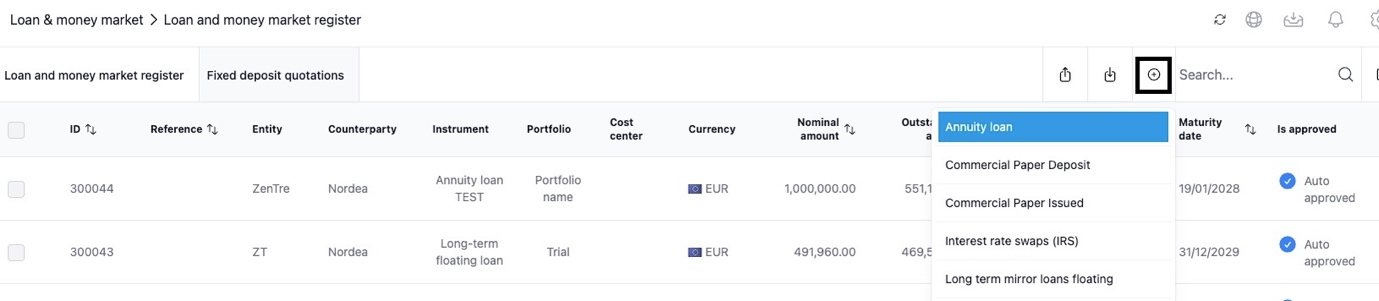
After this you proceed creating the loan agreement from the Loan & Money Market module and click the plus sign where you can then find the Annuity loan instrument and proceed to saving the information of the loan.
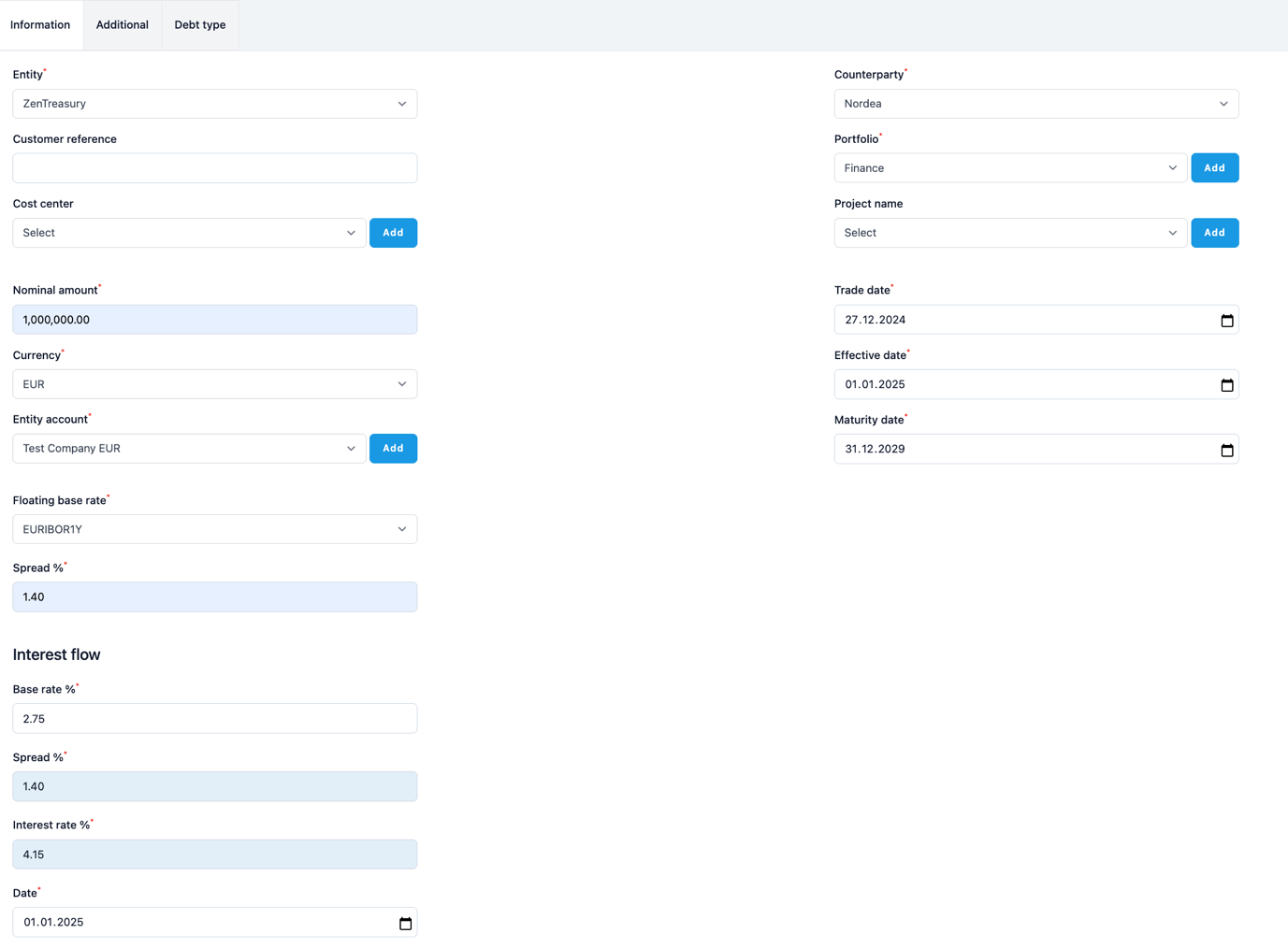
On the Information page you will fill in the mandatory fields marked with a red star, and others as well in case you want to save additional information of your loan.
After you’ve saved all the basic information you can proceed to creating the payment flows for the loan. You can do that by selecting the cogwheel from the top right corner.

From there you get the selection for generating the interest payment and amortisation schedule according to the loan you are creating.
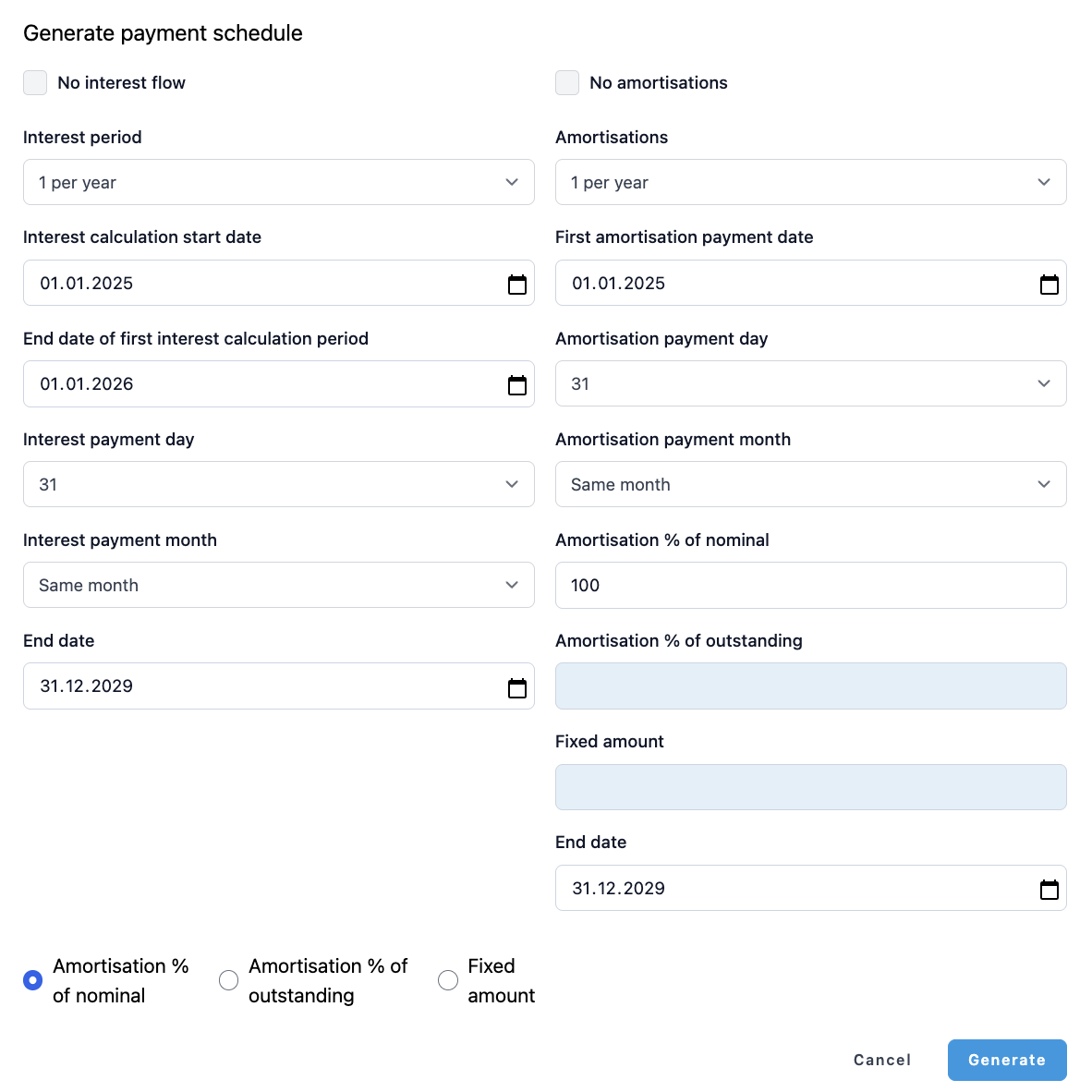
After filling in your selection and clicking ‘Generate’ you can still double check the flows before proceeding to saving the information.
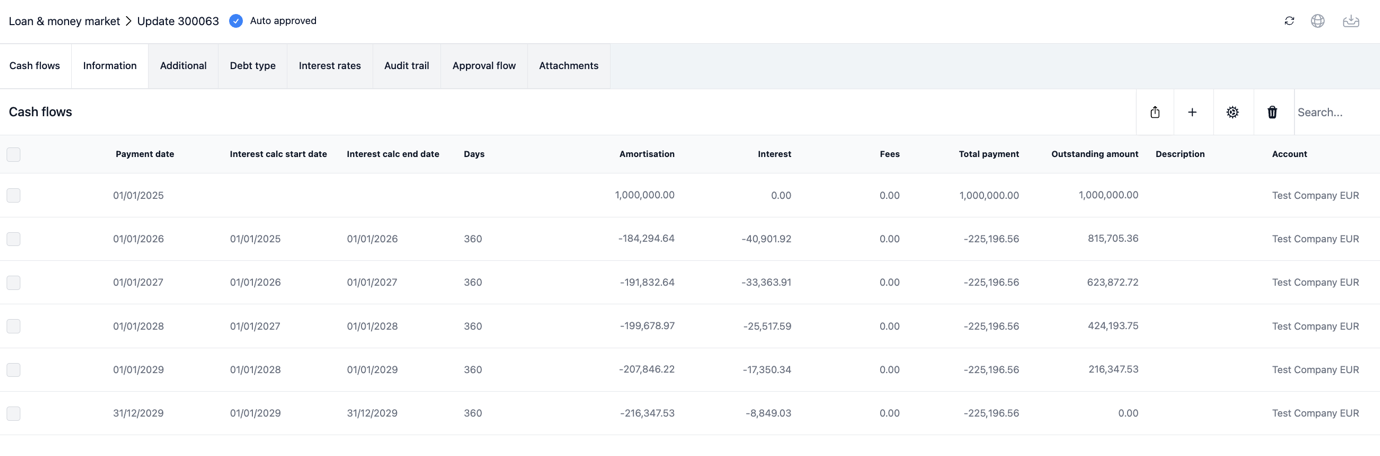
Now, you can see a complete list of payments for the interest and amortisation periods that you have selected.
Was this article helpful?
That’s Great!
Thank you for your feedback
Sorry! We couldn't be helpful
Thank you for your feedback
Feedback sent
We appreciate your effort and will try to fix the article