In order to edit, copy or delete an instrument type, you can navigate to the three dots at the end of the row and activate your selection. You can add debt instrument types from Settings -> Instruments -> Debt types by choosing + sign on the top right corner.
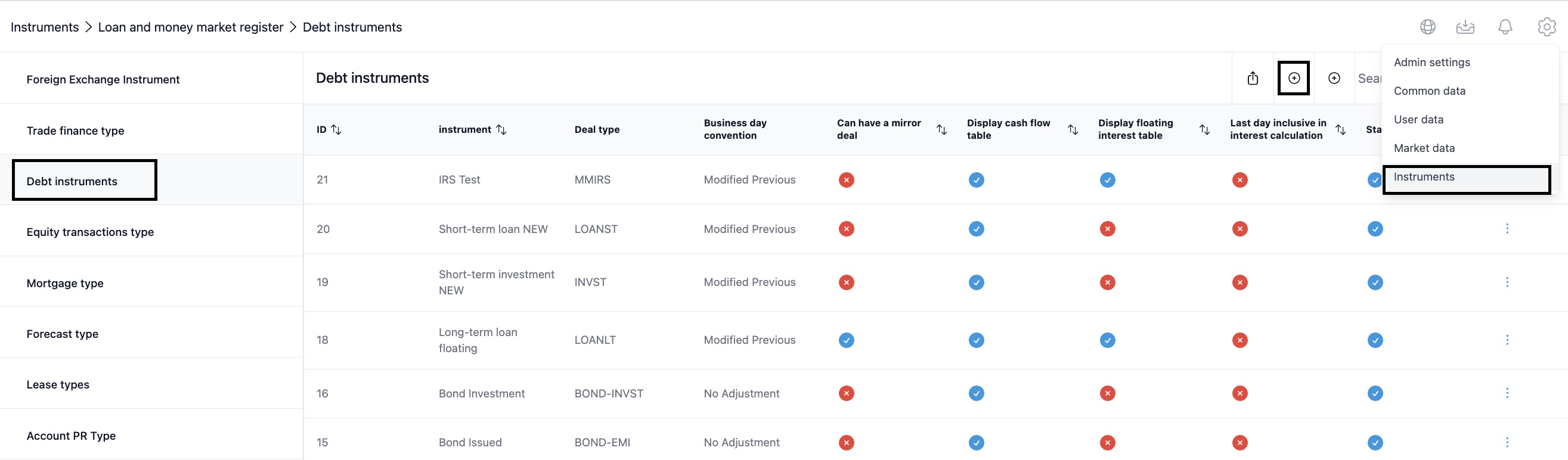
A form to create a debt type will open. Fill in the mandatory fields marked with red star and make a selection for the optional fields as you wish.
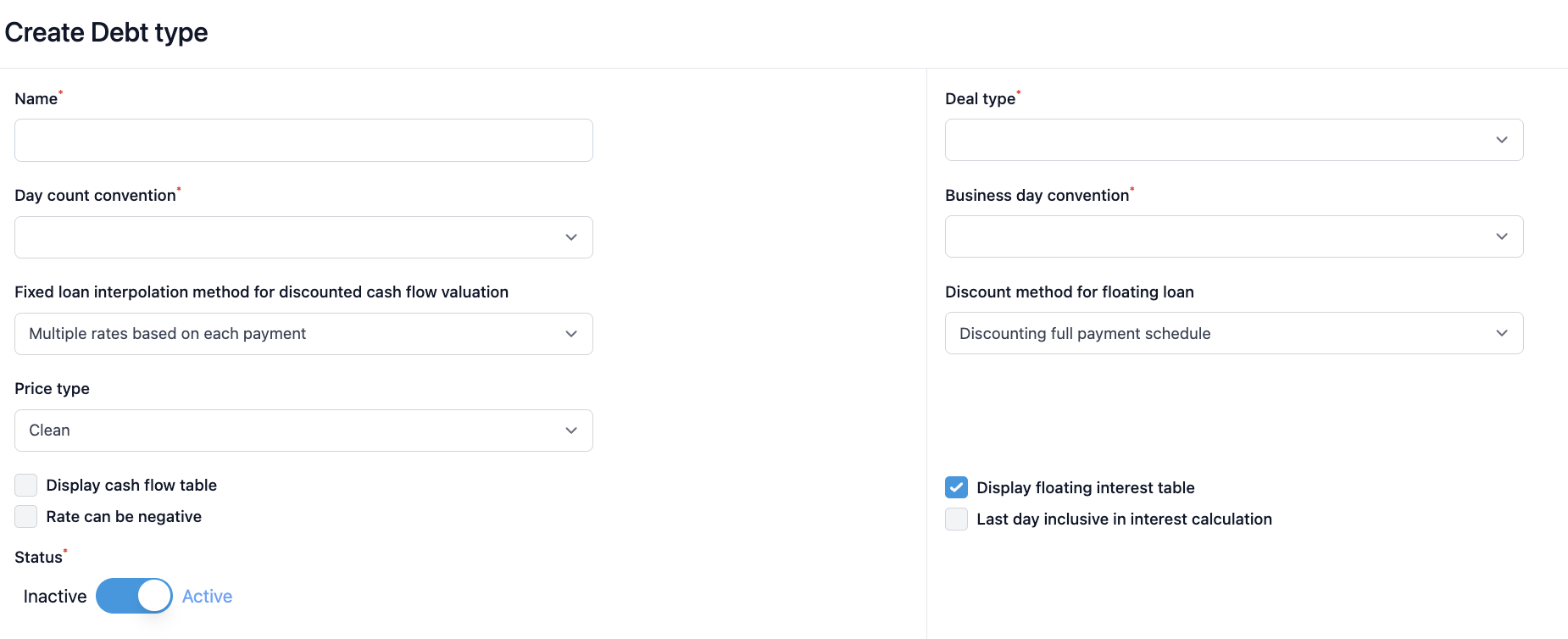
- Fill in the debt instrument type name
- Select the deal type from the dropdown menu. You can make a selection from the following options:
- BOND-EMI for bond emission
- BOND-INVST for bond investment
- DEP0-3M and DEP3-12M for commercial paper deposit
- EMI0-3M and EMI3-12M for commercial paper emission
- INVLT for long-term investment
- INVST for short-term investment
- LOANLT for long-term loan
- LOANST for short-term loan
- MMIRS for interest rate swap - Select day count convention method from the dropdown menu. You have the selection:
- 30/360 days
- 30/365
- Act/360
- Act/365
- Act/Act
- Act/Act-ICMA - Business day convention let’s you set the rule for the payment day when the payment falls on a weekend. Select from:
- End of Month - Following
- End of Month - No Adjustment
- End of Month - Previous
- Following for next working day after
- Modified Following
- Modified Previous
- No Adjustment to leave it as is
- Previous for working day before payment day - Select fixed loan interpolation method for discounted cash flow valuation from 'Multiple rates based on each payment' and 'Single rate based on maturity date'.
- Select discount method for floating loan from 'Discounting full payment schedule' and 'Discounting only the first interest flow selection'.
- Price type differentiates between 'Clean' (excluding accrued interest) and 'Dirty' (including accrued interest).
- 'Display cash flow table' selection ensures that you can see a cash flow table on the loan and money market register, connected to the underlying debt agreement.
- Select 'Rate can be negative' if that is needed.
- 'Display floating interest table' selection is specific for loans that follow a floating interest rate. In order to fix interest rate periodically this selection has to be made.
- If you don't have 'Last day inclusive in interest calculation' the interest is calculated by including the first day but leaving the last day out. If it is active, interest is calculated ensuring the first and the last day are inclusive in calculations.
- Status will determine weather the lease type is active or inactive.
Was this article helpful?
That’s Great!
Thank you for your feedback
Sorry! We couldn't be helpful
Thank you for your feedback
Feedback sent
We appreciate your effort and will try to fix the article