Loan can be saved with two types of interest rates: fixed or floating. Below you can find a brief explanation on the differences of these two.
First, you must have created a relevant Entity, Counterparty, Portfolio, Cost Center, Bank Accounts and loan instrument types to proceed with creating a loan agreement. Debt instrument type with LOAN or INV name start defines whether you’re borrowing or lending.
Loan types can be added, modified and activated/deactivated from Settings -> Instruments -> Debt types.
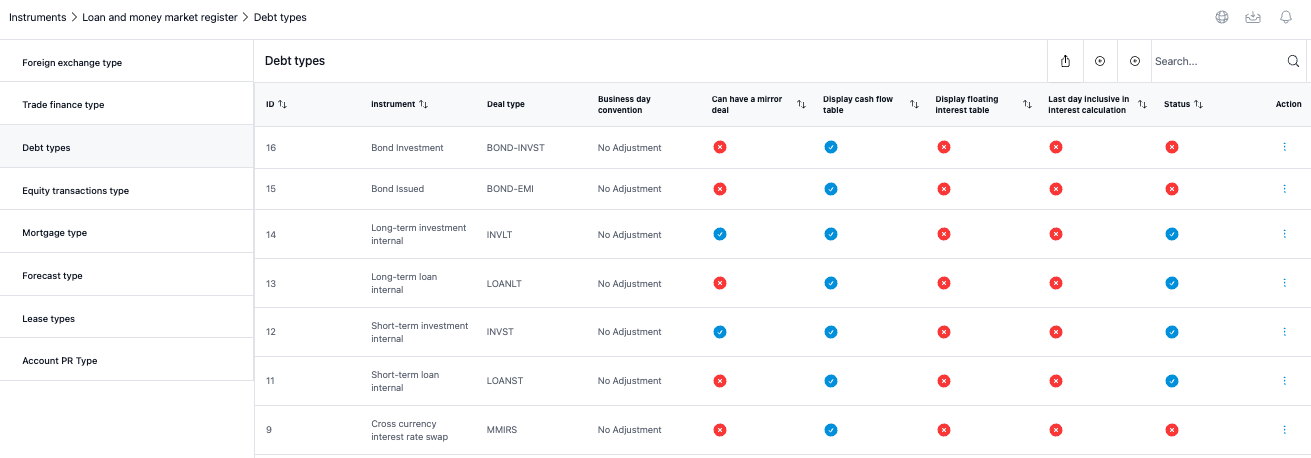
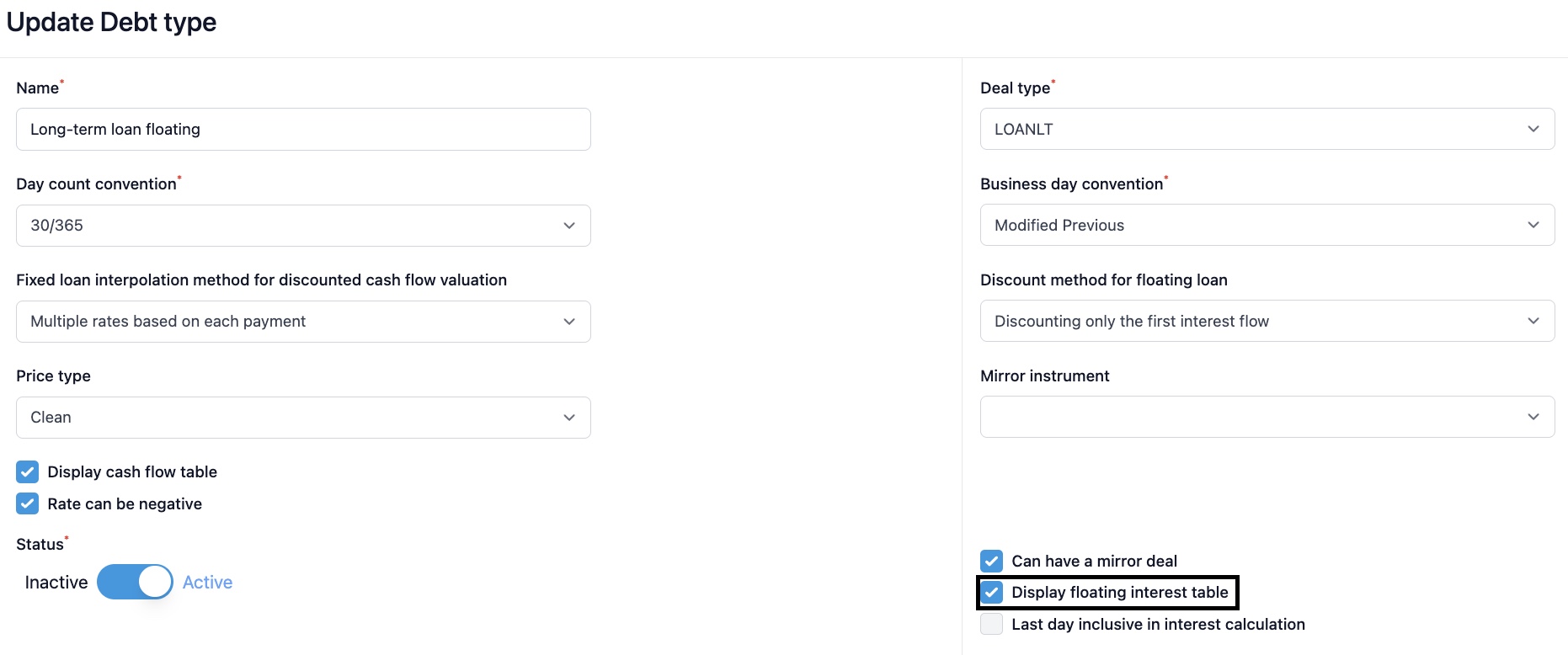
In order to create a loan with floating interest rate, you need to select 'Display floating interest table' for your debt instrument.
1) Fixed rate loan
Fixed rate loans mean the type of loan where interest stays untouched throughout its lifetime. After you have selected a debt instrument type with fixed interest rate, enter 'Fixed base rate %' and add the details to 'Spread %'. 'Interest rate' is then automatically calculated by the system by adding the fixed base rate and spread. This is the rate used for the loan throughout the selected period.
2) Floating rate loan
If you are creating a loan instrument with floating interest rate, you need to choose a debt instrument type with floating interest rate definition. After this, select the floating base rate from the dropdown menu. Base rate list is the one defined on the reference rate register. By defining the base rate, you select the interval for your loan and allow the system to automatically update interest on the fixing dates. Despite the automation, the first interest rate is always inserted manually.
In order to feed the system with right interest rate, the base rate has to be saved in the system for the exact interest rate fixing date. In case your company doesn't use any automated marked data integrations, the rate can be added manually by navigating to Settings -> Market data -> Money market rates.
When the fixing date rate can be found from the money market rate register, the system automatically updates the interest rate for your loan.
Was this article helpful?
That’s Great!
Thank you for your feedback
Sorry! We couldn't be helpful
Thank you for your feedback
Feedback sent
We appreciate your effort and will try to fix the article