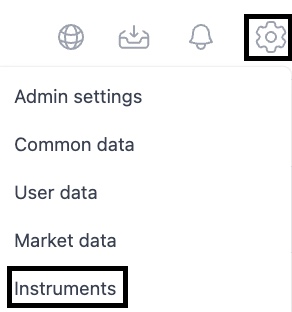
Before creating a loan agreement, you need to confirm that the instrument type has been correctly set. There are debt instruments created in the system by default. You can see the instrument register by clicking the cogwheel top right and select 'Instruments'.
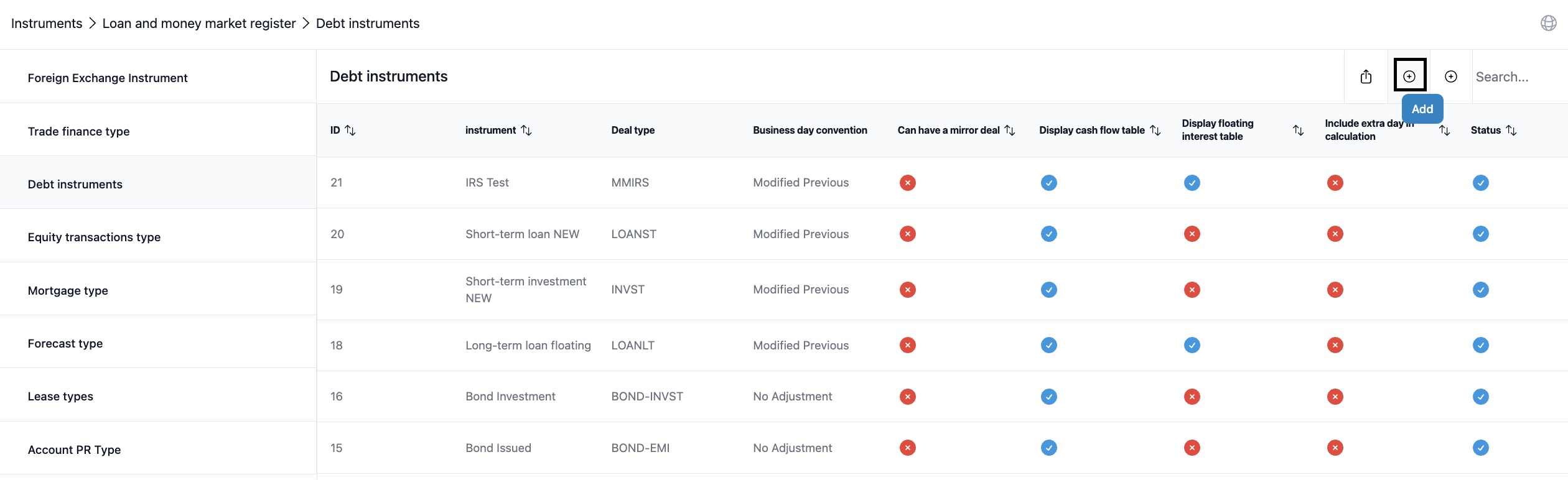
Selecting Debt instruments from the list and choosing "add" from the plus icon you can proceed to adding a debt instrument type.
A worksheet opens with parameter selection for the instrument type you are creating.
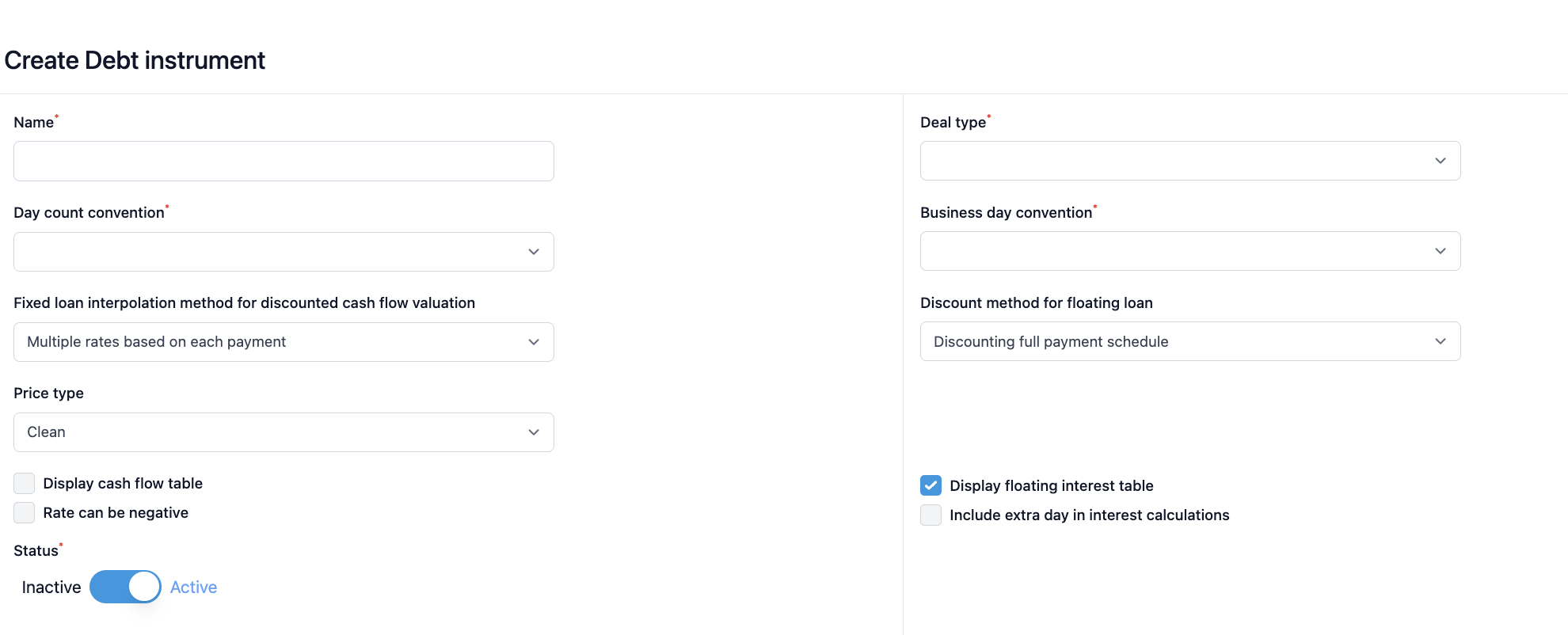
Name: You can give a distinct name to your debt instrument
Day Count Convention: The method that determines number of days used in the interest accrual calculation between coupon payment days. Options: Act/360, Act/365, 30/360, 30/365, Act/Act, Act/Act-ICMA
Fixed loan interpolation method for discounted cash flow valuation: You have the selection between 'Multiple rates based on each payment' and 'Single rate based on maturity date'.
Price Type: Differentiates between 'Clean' (excluding accrued interest) and 'Dirty' (including accrued interest) prices.
Rate can be negative: By ticking this box, you can also insert negative interest rates for you debt instruments.
Deal Type: This selection determines the specific calculation method for your debt instrument. Options determine for example if the deal is a loan/deposit or emission/investment according to the deal in question.
Business Day Convention: Adjusts payment or interest calculation dates that fall on weekends or holidays to the next business day.
Discount method for floating loan: You have the selection between 'Discounting full payment schedule' and 'Discounting only the first interest flow selection'.
Display floating interest table: This selection is specific for loans that have a floating interest rate. In order to fix interest rate periodically this selection has to be made.
Last day inclusive in interest calculation: If you don't have "Last day inclusive in interest calculation" the interest is calculated by including the first day but leaving the last day out. If it is active, interest is calculated ensuring the first and the last day are inclusive.
Status: You can select the instrument type to be active or inactive in the system.
Was this article helpful?
That’s Great!
Thank you for your feedback
Sorry! We couldn't be helpful
Thank you for your feedback
Feedback sent
We appreciate your effort and will try to fix the article