Reference rate is an interest rate benchmark used to set other interest rates. Before you can create a reference rate, you need to create a yield curve into which the reference rate is linked to. If you are using an API to bring market data, make sure that the name of the reference rate is exactly the same as in the file that the market data provider sends.
Most reference rates are already in the system: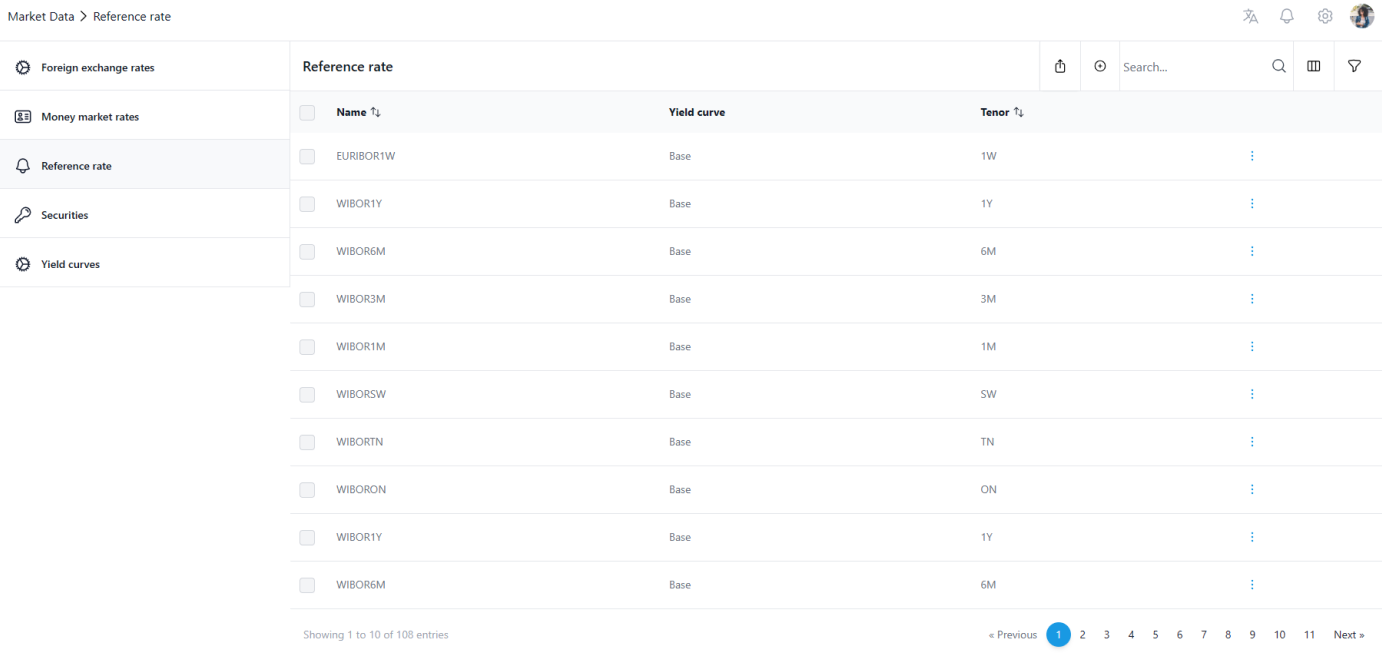
Adding a reference rate
Step 1: Click the + icon on the top right

Step 2: Name the rate and select the (Tenor) code and the yield curve to be used with the rate. Click 'Save'.
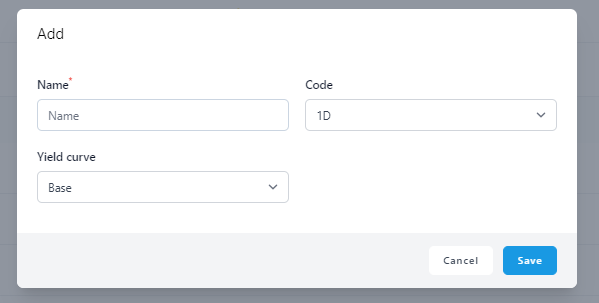
Now you can return back to the register view and you will see also the added rate in the register.
Was this article helpful?
That’s Great!
Thank you for your feedback
Sorry! We couldn't be helpful
Thank you for your feedback
Feedback sent
We appreciate your effort and will try to fix the article